
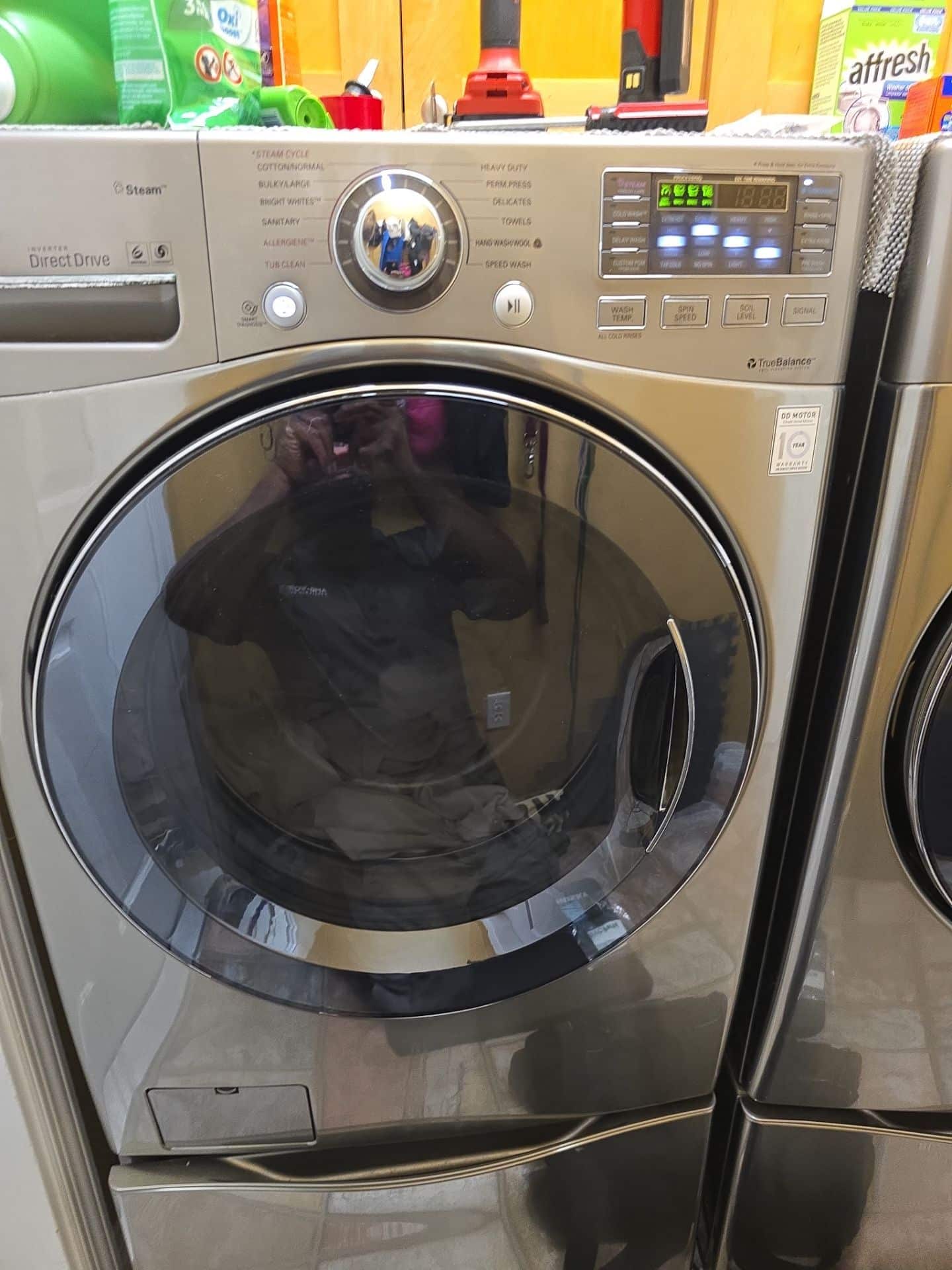
An LG washer is built to make laundry easier, but a stopped cycle, a tub full of water, or a flashing code can quickly turn into a household disruption. The good news is that many common LG washer problems have a simple cause: an unbalanced load, a blocked drain filter, a closed water valve, or a setting that was turned on by accident. Others involve parts that should be tested and repaired by a qualified technician.
This guide explains what common LG washer error codes and symptoms can mean, what a homeowner can safely check first, and when to arrange washer repair. It applies to both front-load and top-load LG washers, though the controls, drain-filter access, and load-sensing behavior can differ by model.
LG washer still not working? AMB Works repairs LG washers, dryers and refrigerators in Clermont, Orlando and 30+ nearby Central Florida cities. See our LG appliance repair service or call/text (352) 757-0949.
Start Here: Safe Checks Before Troubleshooting
Before investigating an error, pause the cycle and keep hands away from a moving basket. Turn the washer off before cleaning a filter, checking hoses, or moving the appliance. If there is a burning smell, smoke, a sparking outlet, a repeatedly tripped breaker, or significant water leaking onto the floor, stop using the machine and contact a professional.
For a minor, one-time issue, power the washer off for a minute and restart it. Then check the simplest factors: the door or lid is fully closed, both water supply valves are open, the drain hose is not crushed, and the load is not one heavy item by itself. A reset can clear a temporary control hiccup, but it will not fix a failed pump, worn suspension, damaged wiring, or a recurring water-flow problem.
LG Washer Error Codes: What the Most Common Codes Mean
OE: The LG Washer Is Not Draining
An OE code generally means the washer could not drain water within the allowed time. This is the code most often associated with an LG washer not draining. On many front-load models, start by checking the drain hose behind the machine for a kink or pinch. Make sure the hose is not shoved too far down the standpipe and that the household drain is not backing up.
Front-load LG washers commonly have a drain-pump filter behind the small lower access panel. With the washer unplugged, place shallow pans and towels down, drain any residual water through the emergency hose if your model has one, then remove and clean the filter according to the owner’s manual. Coins, hair pins, lint, and small clothing items are frequent blockages. Top-load designs may not provide the same user-accessible filter, so do not force panels open.
If the hose and accessible filter are clear but OE returns, the drain pump, pump wiring, pressure-sensing system, or home plumbing may need diagnosis. Do not repeatedly run a washer that cannot drain; water can overflow when the door is opened or be left sitting in the tub.
UE: Unbalanced Load or Spin Problem
UE indicates that the washer could not balance the load for spinning. First, open the door or lid after the washer stops, redistribute the laundry, and try a spin cycle again. A single bath mat, comforter, pair of shoes, or heavy towel can bunch up on one side. Add a few similar items if the load is too small, or remove items if the tub is overfilled.
LG front-load washers are especially sensitive to a machine that is not level. Check that all feet touch the floor firmly and the cabinet does not rock. On top-load washers, an unbalanced load can also be caused by worn suspension components. If the machine repeatedly displays UE with ordinary, evenly distributed loads, bangs hard during spin, or never reaches high speed, it may need professional LG washer repair.
IE: Water Is Not Entering Fast Enough
IE usually means the washer did not fill with water as expected. Confirm both hot and cold supply valves are fully open, even if you usually wash in cold water. Check that inlet hoses are not bent behind the washer. If water flow at nearby fixtures is weak, the issue may be with the home’s supply rather than the appliance.
Small inlet screens where hoses connect can collect mineral debris. In Central Florida, hard water can make that buildup more likely. Turn off the water, remove the hoses carefully, and consult the model manual before gently cleaning only the accessible screens. Do not pry into valves or operate the washer with screens removed. A persistent IE code can point to restricted flow, a faulty inlet valve, a pressure sensor issue, or wiring trouble.
LE: Motor or Motor-Protection Fault
An LE code is commonly related to a motor, rotor, wiring, or motor-protection condition. An overloaded tub can sometimes contribute, so remove some laundry, let the washer cool if it has been used heavily, and restart once. However, if LE returns with a normal-sized load, the basket will not turn, or the machine makes unusual humming or grinding sounds, stop troubleshooting. Motor-system repairs involve electrical testing and model-specific components and are best left to a technician.
dE: Door or Lid Is Not Recognized as Closed
dE generally means the washer is not detecting a properly closed door or lid. Look for clothing caught in the door opening, a folded gasket on a front-loader, or an obstruction at the lid on a top-loader. Close it firmly without slamming. A worn latch, damaged strike, lid lock, or wiring connection can prevent a safe cycle start. Never bypass a door or lid lock; it is a critical safety device.
CL: Child Lock Is On, Not a Failure
CL is often mistaken for an error code, but it normally means Child Lock is activated. The washer is protecting the controls from changes while it is on. The button combination to turn it off varies by LG model, so check the control-panel label or owner’s manual; commonly, it requires holding the marked button or two buttons for several seconds. If the display stays locked after following the correct instructions, a control-panel issue may be involved.
Why an LG Washer Will Not Spin
When an LG washer is not spinning, start by determining whether it also failed to drain. A washer typically will not enter a fast spin while water remains in the tub, so an OE-related drainage issue may be the real cause. Next, rebalance the load and verify the washer is level. Avoid washing one bulky item alone unless its care label and your washer’s cycle guide specifically allow it.
If the washer drains but only tumbles slowly, stops before spin, or makes a loud mechanical noise, possible causes include a worn belt on applicable models, a drive or clutch issue, a failing motor component, suspension wear, or a control problem. Front-load and direct-drive designs do not all use the same parts. A technician can identify the correct cause without replacing parts based on a guess.
Leaks, Water Around the Washer, and a Musty Smell
Water on the floor deserves prompt attention. First, identify whether it appears at the supply hoses, drain hose, detergent drawer, door area, or underneath the washer. Tighten a loose hose connection by hand as appropriate, and inspect hoses for cracking or bulging. Replace damaged hoses rather than taping them. If the leak is from a front-load door, wipe the gasket and look for a small item such as a sock, coin, or hair clip caught in the seal. Do not use sharp tools on the gasket.
Oversudsing can also push water out of a dispenser or door area. Use only high-efficiency (HE) detergent when the washer calls for it, measure it rather than pouring freely, and use less if the water is soft or the load is lightly soiled. If water comes from beneath the cabinet, returns every cycle, or reaches electrical connections, turn off water to the washer and schedule service.
Odor is another common complaint, particularly with front-load washers. Moisture, detergent residue, and fabric-softener buildup can feed mildew in the gasket, dispenser, and outer tub. After each wash, remove laundry promptly, wipe the door gasket’s folds, and leave the door or lid slightly open so the interior can dry. Run the manufacturer-recommended Tub Clean cycle on schedule and clean the dispenser and accessible drain filter as directed. Do not mix cleaners or use unapproved chemicals.
Noise and Vibration: What Is Normal and What Is Not
A brief hum while filling, clicking as a lock engages, and changes in motor sound through a cycle can be normal. Repeated thumping, walking across the floor, metal-on-metal scraping, or a roaring sound in spin is not. Make sure shipping bolts were removed from a newly installed front-loader, the washer is level, and nothing is trapped in the drum. A small item caught between baskets or a foreign object in a pump can create noise, but so can failing bearings, suspension, or drive components.
Do not keep running a washer that violently shakes or scrapes. Beyond damaging the appliance, vibration can loosen hoses and harm flooring. A repair professional can inspect the machine safely and distinguish a loading issue from a mechanical failure.
Preventive Care for LG Washers in Central Florida
Regular care reduces many avoidable LG washer problems. Central Florida’s mineral-rich water can leave deposits in inlet screens and detergent areas, while year-round humidity makes it easier for washer odors to return. A practical routine includes:
- Check pockets for coins, screws, and small objects before every load.
- Use the correct amount of HE detergent and avoid frequent oversudsing.
- Clean the front-load gasket and detergent dispenser regularly.
- Run the approved Tub Clean cycle according to your model’s manual.
- Inspect supply and drain hoses periodically for wear, kinks, or leaks.
- Clean an accessible drain-pump filter on the schedule specified for your washer.
- Keep the washer level and leave room behind it so hoses are not crushed.
When to Call for Professional LG Washer Repair
Basic cleaning, leveling, and load adjustments are reasonable homeowner steps. Call for service when an error code returns after those checks, the washer will not drain or spin, a door lock will not engage, a leak comes from underneath, or there is electrical odor, smoke, or a breaker problem. A professional is also the safer choice for motor, pump, control-board, bearing, and wiring diagnoses.
AMB Works provides residential washer service across Central Florida. Our team can help isolate the source of recurring LG washer error codes and explain the repair options clearly. Explore the brands we service, or contact AMB Works to request help. With 191+ reviews, homeowners can call (352) 757-0949 when laundry day needs a practical solution.
Frequently Asked Questions About LG Washer Problems
Why does my LG washer show OE but the drain hose looks fine?
A clear-looking hose does not rule out a blocked front-load drain-pump filter, an obstruction in the pump, a slow household drain, or a failing pump. Clean only the user-accessible filter following your manual, then seek service if OE returns.
Can I reset an LG washer to clear an error code?
Turning the washer off for about a minute and restarting can clear a temporary interruption. If the same code returns, treat it as a symptom to investigate rather than repeatedly resetting the machine.
What should I do when my LG washer is not spinning?
Confirm it has drained, redistribute the load, and make sure the washer is level. If it still will not spin with a normal load, or it bangs or grinds, arrange a professional inspection.
Is CL on an LG washer an error code?
No. CL normally means Child Lock is enabled. Use the model-specific button combination shown on the panel or in the owner’s manual to turn it off.
Why does my LG front-load washer smell musty?
Moisture and detergent residue can collect in the door gasket, dispenser, and tub. Wipe the gasket, leave the door ajar after use, use the approved Tub Clean cycle, and avoid excessive detergent.
When is an LG washer leak an emergency?
Stop using the washer and turn off its water supply if water is coming from under the cabinet, reaches an outlet, is substantial, or is paired with an electrical smell or breaker trip. Contact a qualified repair professional promptly.
Need help with recurring LG washer problems? Call AMB Works at (352) 757-0949 or contact our team for washer repair in Central Florida.